Beside: Someone with you
Someone with you, for as long as you want.
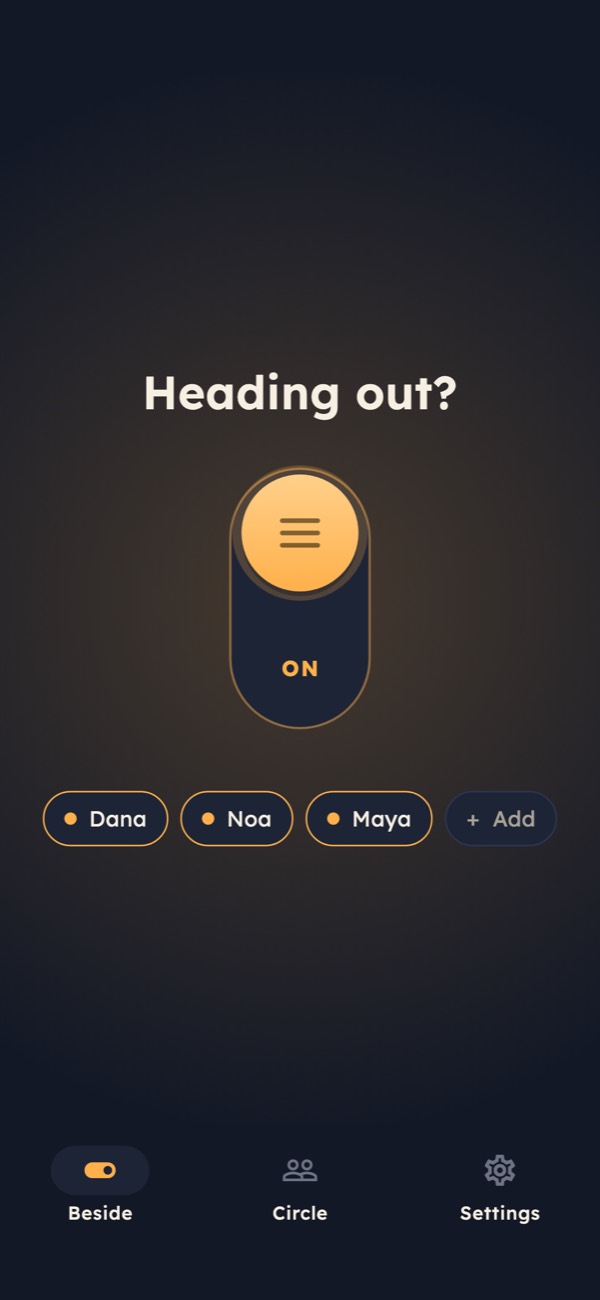
Walking home late, a run, a first date, a long drive. Turn on Beside and the people you trust see you on the map until you turn it off. If something feels wrong, hold SOS.
- One switch
- Drag it up to start, "Turn off" to stop
- Both say yes
- No one joins your circle without accepting
- Only while on
- Location is never read when the switch is off
- 24 hours
- Then the route of a finished session is deleted
How it works
Four steps, and the first one you do once
Beside is built around a small circle of people you actually trust, and a switch you control.
- 01
Invite and accept
Build your circle
Send an invite link to a friend, partner or parent. They install Beside, sign in and tap Accept. Either of you can leave the circle at any time, and both are told.
Nobody is added without saying yes
- 02
Beside me
Turn on the switch
Drag the switch up and choose who to tell this time. Tap "Stay beside me" and they get a notification, with your name, that you'd like them with you. In a hurry? The home-screen widget starts Beside in one tap with the people you chose last time.
Your last choice is remembered
- 03
While the switch is on
They see you live
Your circle sees your position, battery and whether you're walking or driving, and can call you in one tap if you added your number. You see exactly what they see, and who is watching.
Nothing is shared when it's off
- 04
Back on your own
Tap "Turn off"
The switch goes off, location stops, and your circle gets a short note that you're done. The route is deleted 24 hours later.
Deleted after 24 hours
The switch
Off means off. On means someone is with you.
Beside never tracks you in the background. The switch is the only thing that decides.
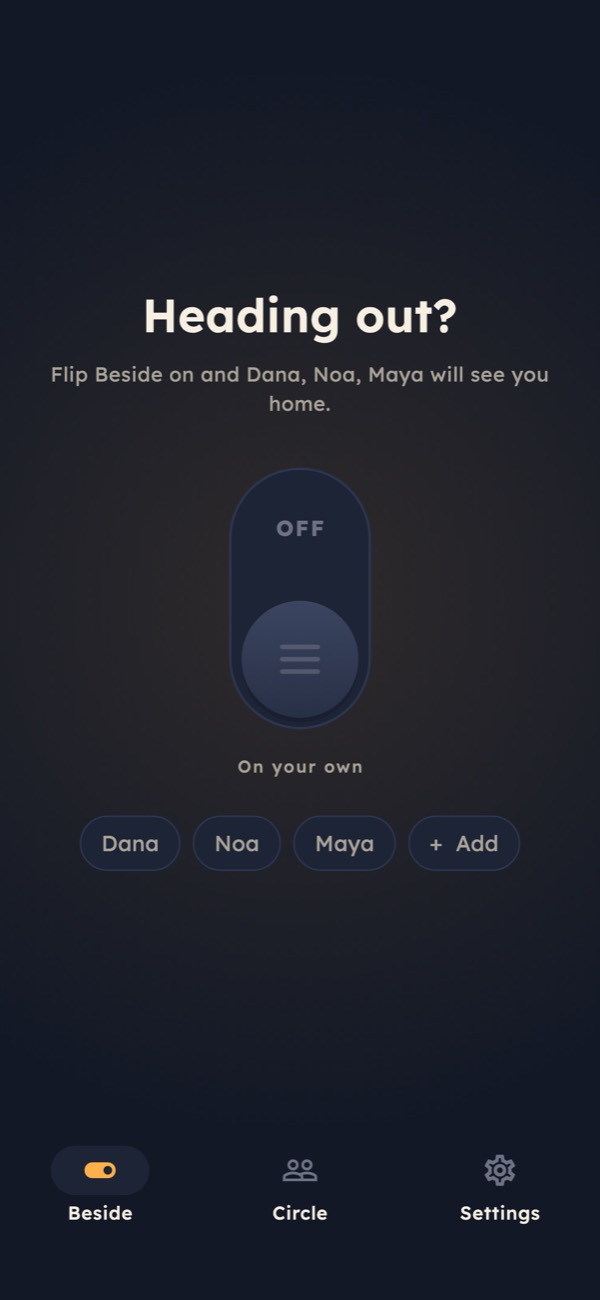
On your own
Nothing is shared. The app doesn't read your location, and your circle sees nothing.
Switched on
The people you chose get a notification and can open your live position until you tap "Turn off".
When it matters
Built for the moment something goes wrong
Most of the time you just turn it off. These are for the times you can't.
SOS
Hold for SOS
Hold the SOS button (1.5 s by default). Everyone in your session gets an urgent alert with your live position, and you can call the local emergency number from the same screen.
Optional
Check-ins, if you want them
Ask Beside to check on you every 15, 30 or 60 minutes. If you don't answer "Still OK?" within a minute, your circle is alerted.
No signal
When your phone goes quiet
If your phone stops sending its position for a few minutes, your circle sees when it was last heard from and can raise the alarm.
Circle
It works both ways
You can be beside the people who are beside you. Each direction is its own yes, and each side can end it.
Later
Watch, optional
Coming next: start Beside and hold SOS from your Apple Watch. Heart rate will be shared only in sessions you start on the watch, and only with that session's circle.
Privacy
No ads, no selling
Beside has no advertising and never sells or rents your data. Analytics carry no location, names or messages.
Widget
Start from your home screen
A widget with one button. Tap it and Beside starts with the people you chose last time: no menus, no confirmation.
iPhone
On your lock screen
While Beside is on, it stays visible on your iPhone's lock screen and Dynamic Island, and is marked in red during an SOS.
Call
One tap to call
Add your phone number and the people watching over you can call you straight from the map or from an SOS alert. Your number is shown only to your circle.
Privacy and limits
Your location belongs to you
Beside reads where you are only while the switch is on, and shows it only to the people in that session.
- Off
- No location is read when the switch is off
- 24 h
- After a session ends, its route is deleted
- 0
- Ads or data sales
Beside helps the people you trust know where you are. It is not an emergency service and cannot guarantee that a notification arrives: phones run out of battery, lose signal or limit apps in the background. In an emergency, call your local emergency number.

Beside: Someone with you
Ask someone to be beside you
Beside is coming soon to iPhone and Android. Pick two or three people now, and send them the invite on day one.